
How to organize team headshots (without disrupting the workday)
Updated: Aug 10
If you've been asked to organize professional team headshots, chances are it's only one item on a much longer to-do list. Between meetings, deadlines, and the daily needs of your team, coordinating headshots can feel like one more project to manage.
The good news is that it doesn't have to be.
With a little planning beforehand, headshot day becomes a smooth, predictable process. Employees step away from their desks for a few minutes, have their photo taken, and get back to work. The goal isn't just great headshots. It's making the entire experience easy for the person responsible for organizing it.

Start with a plan
Every company works a little differently, so before we schedule anything, we'll spend a few minutes talking through the details.
How many employees need headshots? Should everyone have the same background? Is there a conference room that works well for the setup? Would it make more sense to photograph everyone in one day, or spread the sessions over several days?
We'll also decide how you'd like to handle scheduling. Some companies assign appointment times internally. Others prefer letting employees reserve an available time online. Either approach works well.
Leadership portraits often benefit from a little extra time. Executives may need several expressions or crops for company websites, LinkedIn profiles, speaking engagements, or press releases. Scheduling those sessions at the beginning or end of the day usually keeps the overall schedule running smoothly.
Before the session, I'll provide simple wardrobe recommendations that you can share with your employees. If they'd like more detailed advice, they can also read Headshot Tips.
Most organizations don't arrange professional team headshots very often. Part of my job is helping you think through these details beforehand so there aren't any surprises once the cameras are set up. If you're wondering whether now is the right time to update your team's images, What Professional Team Headshots Do for Your Business explains the benefits in more detail.


You probably have the space you need
One of the first questions I often hear is, "How much room do you need?"
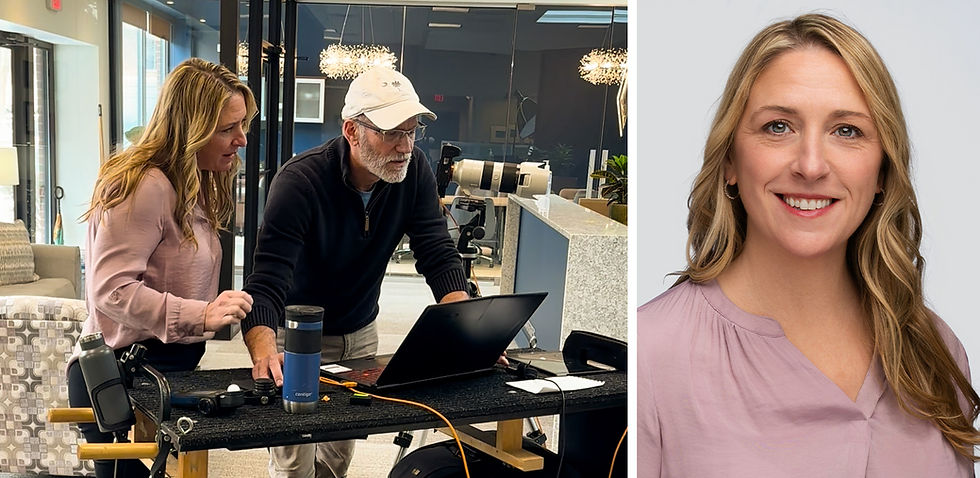
A typical conference room is usually enough for a professional headshot setup and I bring everything needed to create a portable studio at your office.
If a larger room is available, I'll usually recommend using it. The extra space gives employees a little more room to move around, provides greater flexibility for lighting and camera placement, and simply makes the session feel more comfortable. But if space is limited, a standard conference room is often all we need.

Headshot day
By the time headshot day arrives, most of the work is already done. The schedule is set, employees know where to go, and I can focus on helping each person look their best.
When everything is running smoothly, I can photograph up to twenty people in an hour. Smaller teams move at a more relaxed pace giving us a little extra time with each person.
Most people don't enjoy having their picture taken, and that's perfectly normal. Nobody is expected to know how to pose before they arrive. I guide each person through the session with simple adjustments that help them look confident, approachable, and natural.
For smaller groups, I often show people a few of their images during the session. Seeing a strong photograph on the laptop helps people relax and gives them confidence that they're going to have a headshot they'll be proud to use.
For larger groups, it's usually more efficient to keep everyone moving and let employees review their proofs afterward, when they can make their selection without feeling rushed.
Make planning easier
Before you reserve a conference room or begin scheduling employees, download my free Team Headshot Planning Guide.

The guide is designed for office managers, HR teams, and anyone coordinating employee headshots for the first time.
You'll find practical advice on scheduling, room selection, wardrobe guidance, logistics, and the small details that help the day run smoothly.
After the session
Each employee receives a private proof gallery where they can review their images and choose the one they'd like professionally retouched.

If the office has reliable Wi-Fi, employees usually receive their private proof gallery shortly after their session. They can review their images when it's convenient instead of making a rushed decision while everyone else is waiting.
Once they've made their selection, I carefully retouch the chosen image to create a finished, natural appearance before uploading the final headshot back to their gallery.
Final delivery
When retouching is complete, I send the the person coordinating the session a searchable gallery containing everyone's finished headshots.
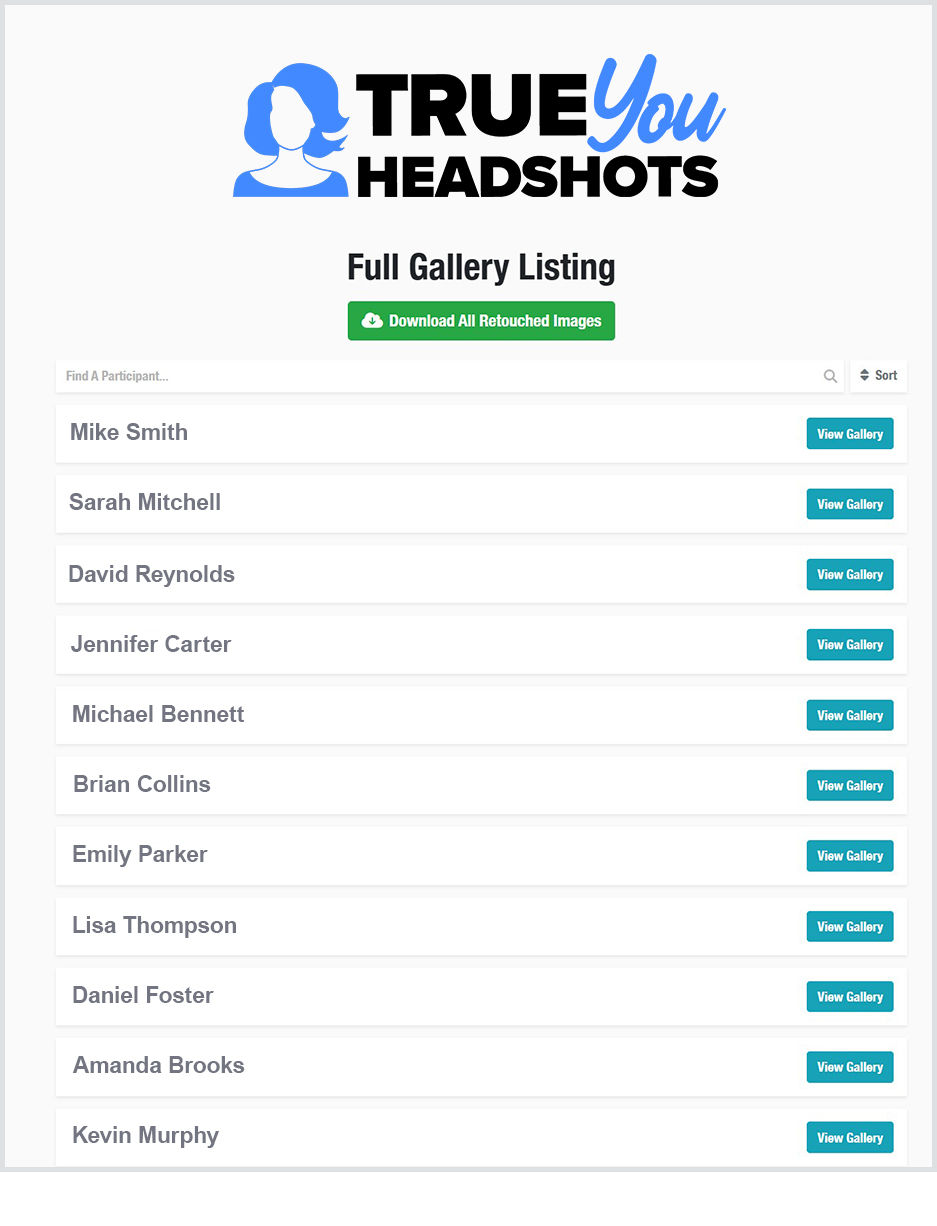
Whether you need to download everyone's headshots or just one employee's final image, the Full Gallery Listing makes it easy to find exactly what you need.
Every file is labeled with the employee's name, making it easy to update your website, LinkedIn profiles, company directory, email signatures, or marketing materials. There's no sorting through dozens of anonymous filenames trying to remember who is who.
If someone is on vacation, working remotely, or out sick on headshot day, that's usually not a problem. Because I document the lighting, camera settings, and background, I can photograph them later so their headshot matches the rest of the team.
Good planning makes all the difference
Professional team headshots don't have to disrupt the workday. Your employees get updated headshots and your company ends up with a consistent collection of images ready for your website, LinkedIn profiles, email signatures, proposals, and marketing materials.ials.
If organizing your team headshots turns out to be easier than you expected, then I've done my job.
Planning a team headshot?
Whether you're organizing ten employees or a hundred, let's talk about your schedule, your workspace, and what you'd like to accomplish.
Let's start planning your team headshots


